Features
What Course AI Builder produces, and how
The lesson themes, element types, quiz behaviour, inputs, languages and exports, as they work today. Anything not on this page is not part of the product yet.
§ 01Lesson themes
Six themes, one per course
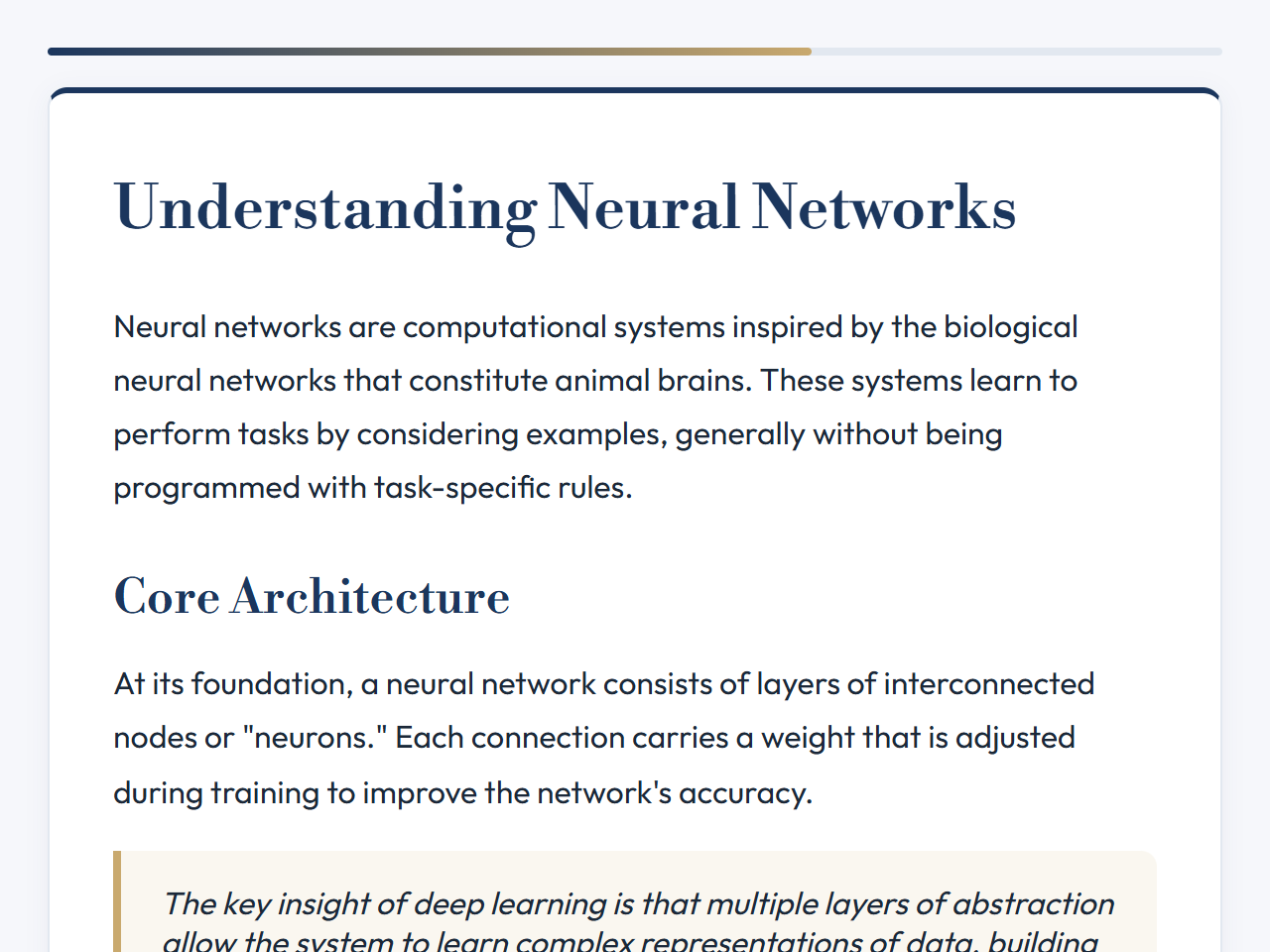
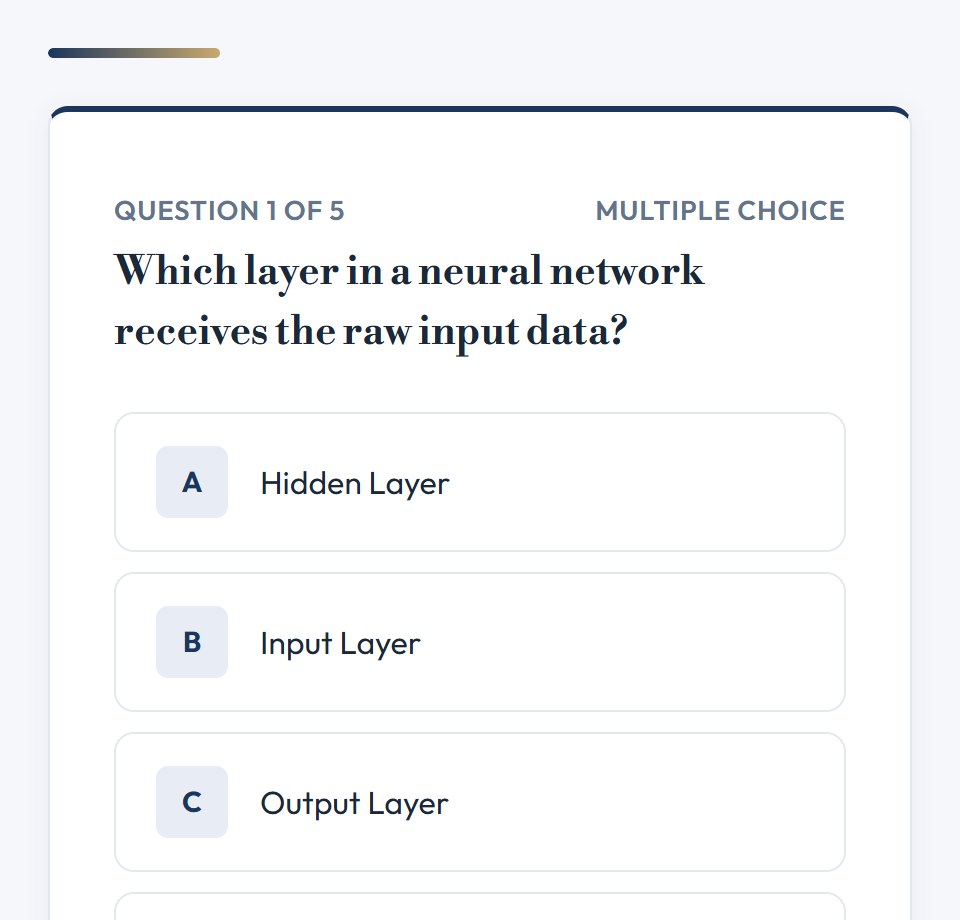
T01 · Polished, confident
Executive
Professional and adult learning.
- Type
- Libre Bodoni for headings, Outfit for text
- Colour
- Navy, charcoal and graphite with generous white space.
- Best for
- Corporate training, leadership, adult learning
- Available
- Free trial and after any purchase
T02 · Authoritative, restrained
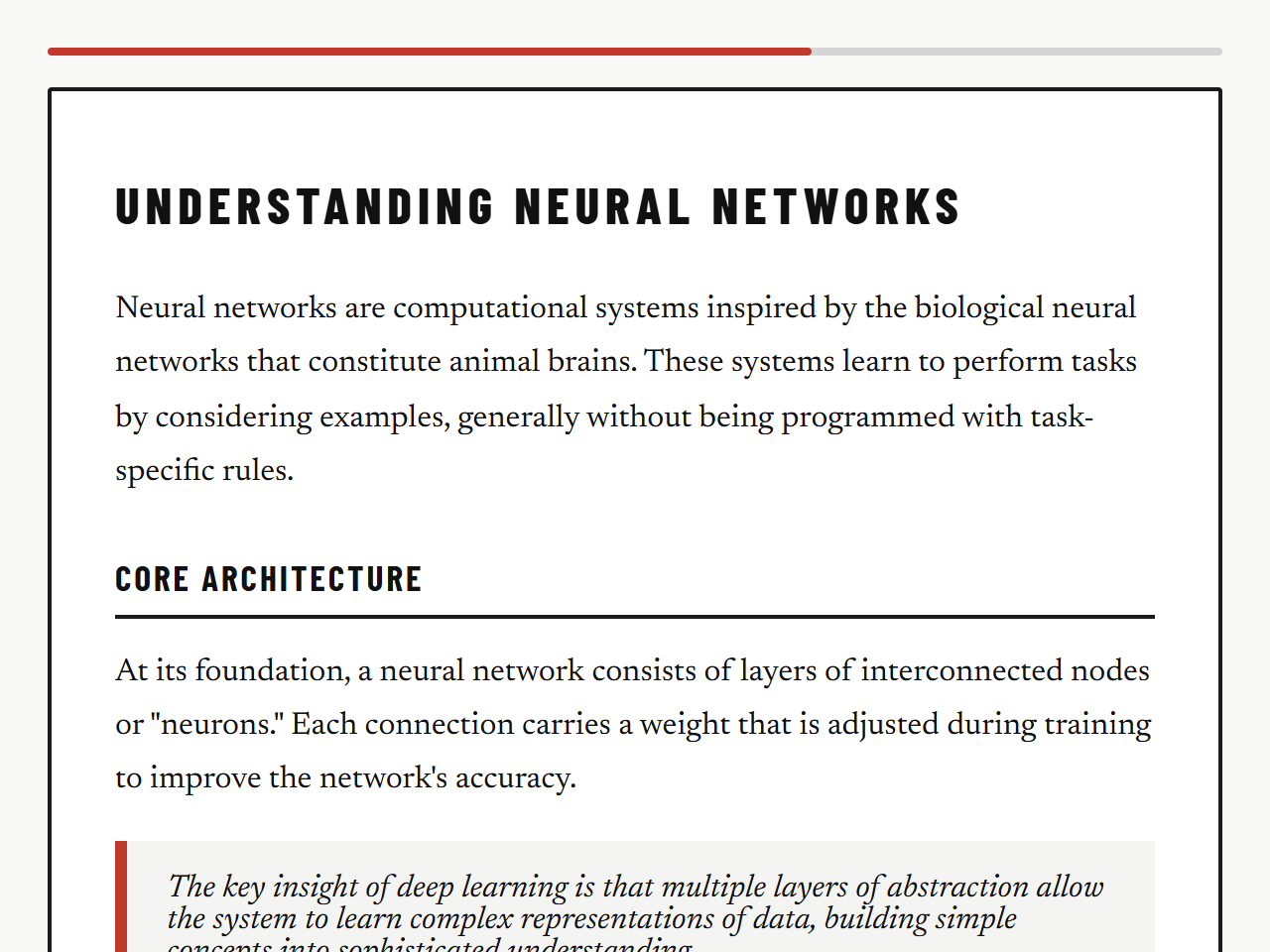
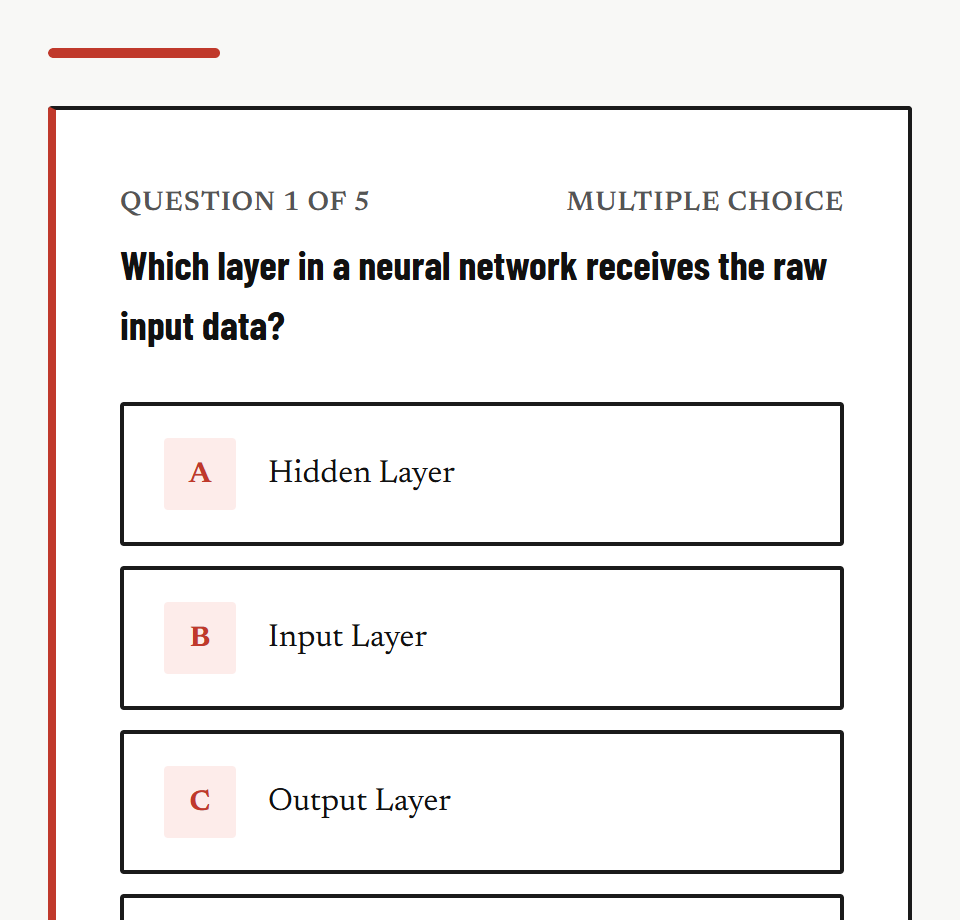
Monolith
Formal curriculum delivery.
- Type
- Barlow Condensed for headings, Newsreader for text
- Colour
- Near-black and off-white with one red accent, strong rules and dividers.
- Best for
- Policy and compliance topics, formal curricula
- Available
- After any purchase
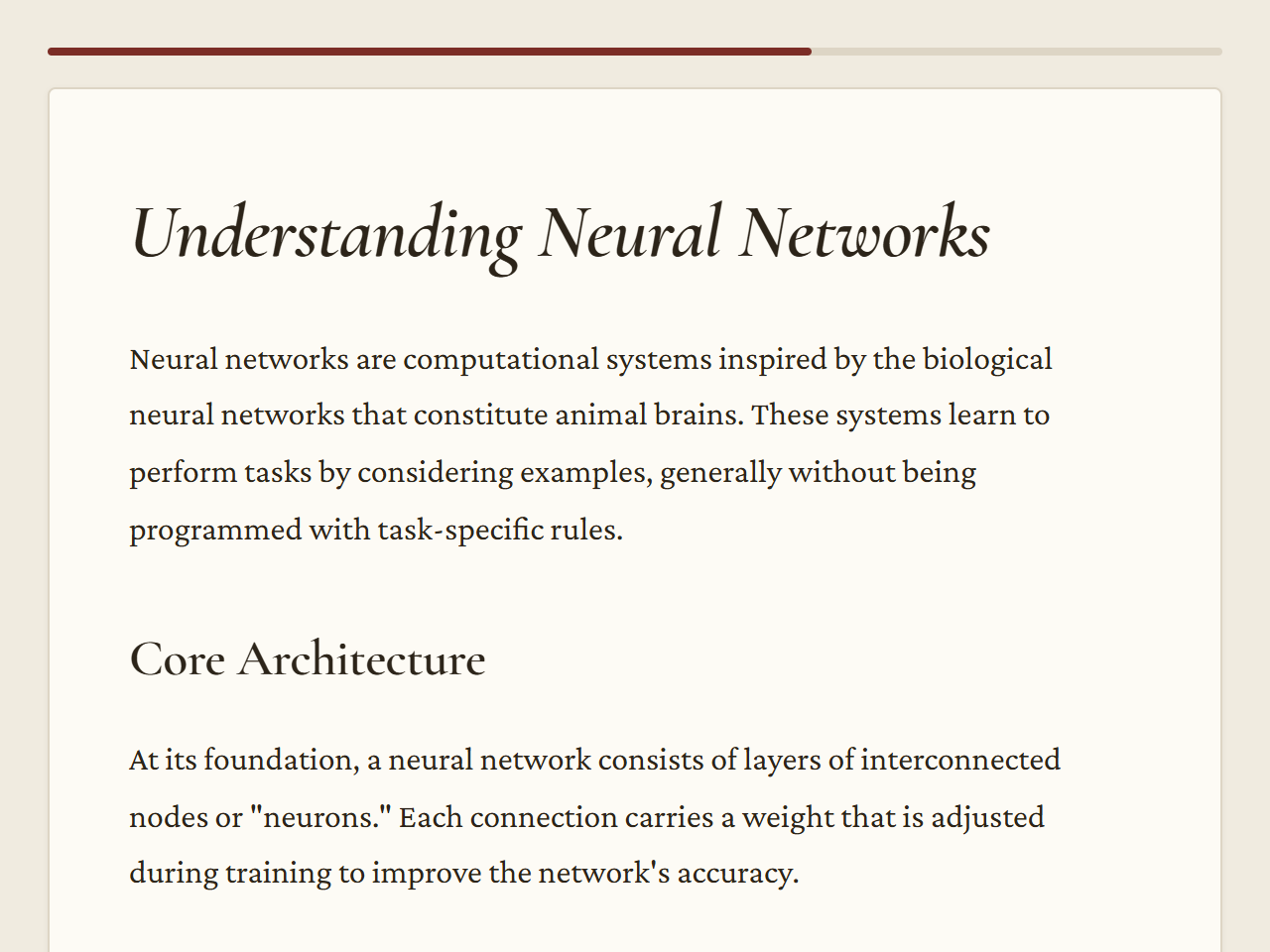
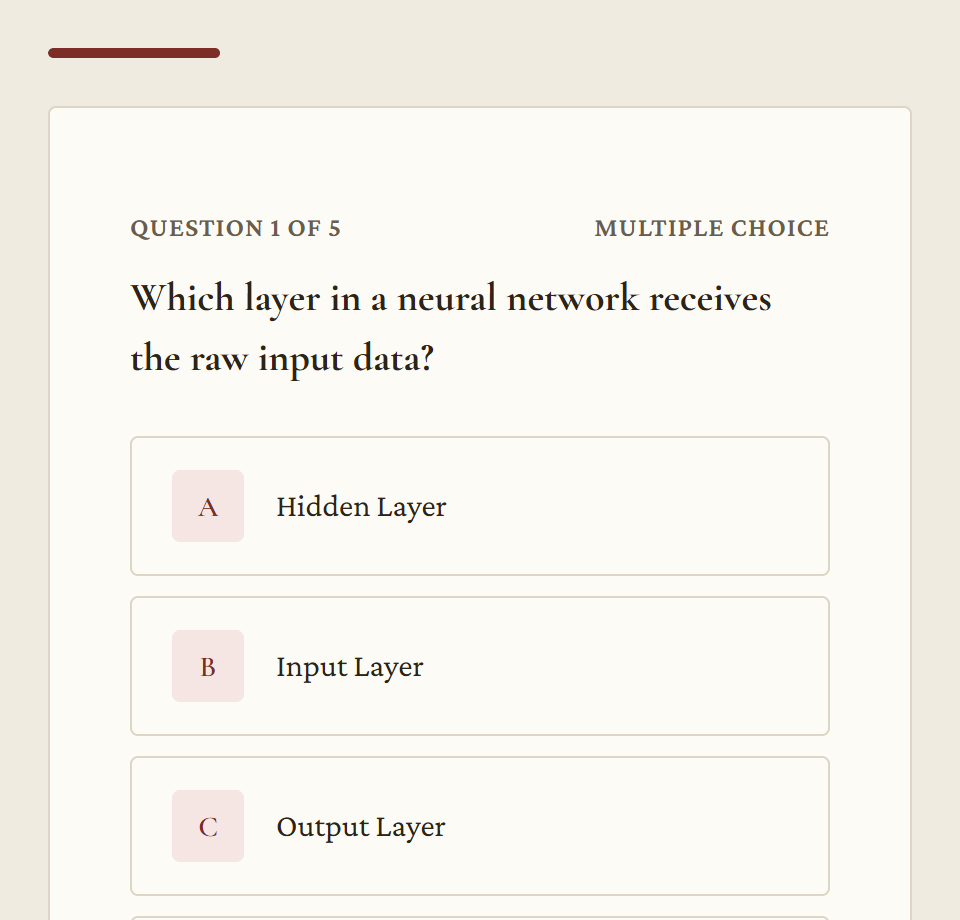
T03 · Scholarly, calm
Archivist
Deep reading and theory-heavy learning.
- Type
- Cormorant Garamond for headings, Crimson Pro for text
- Colour
- Paper tones, ink black and a muted oxblood accent.
- Best for
- University subjects, humanities, theory
- Available
- After any purchase
T04 · Human, tactile
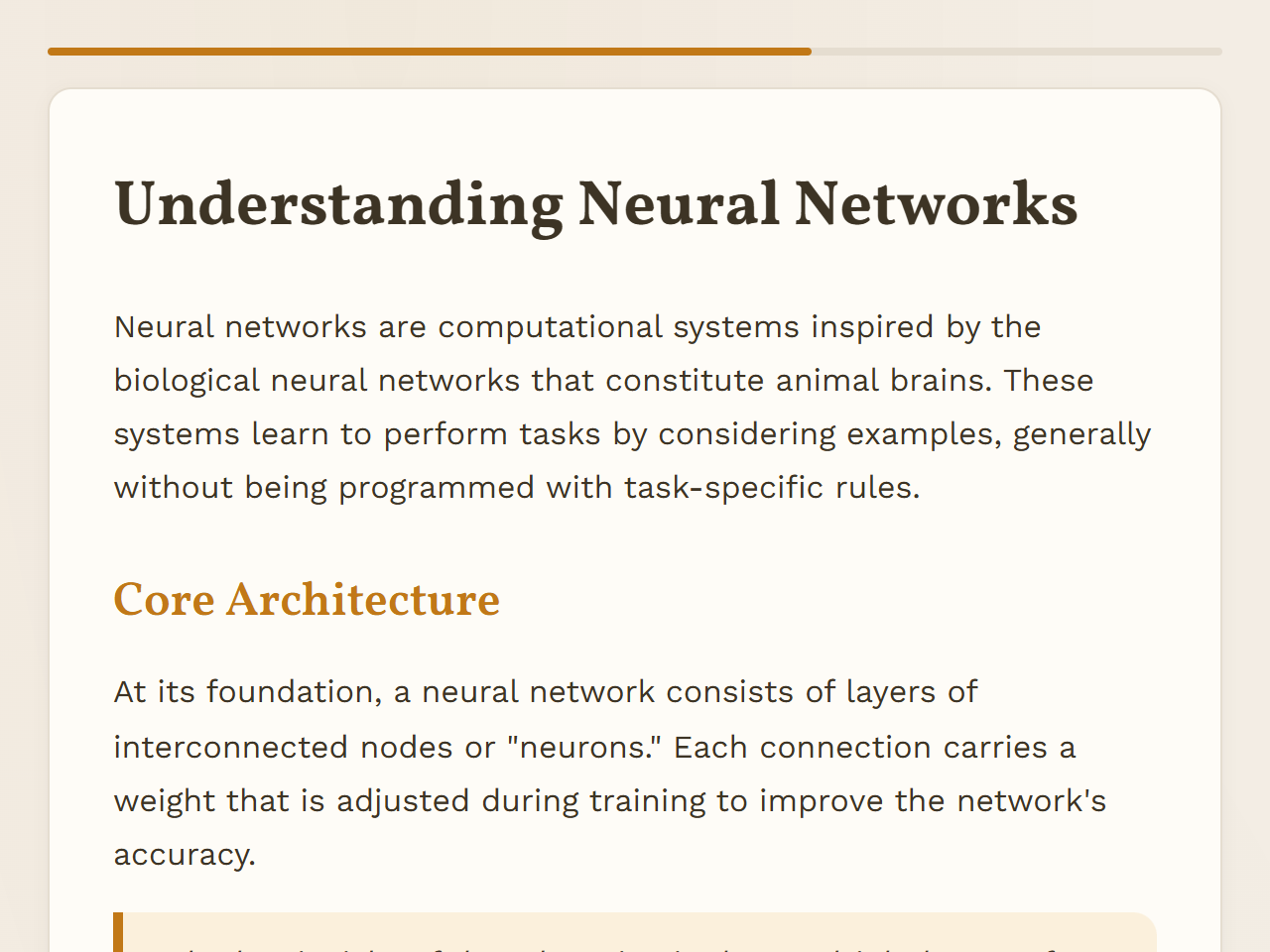
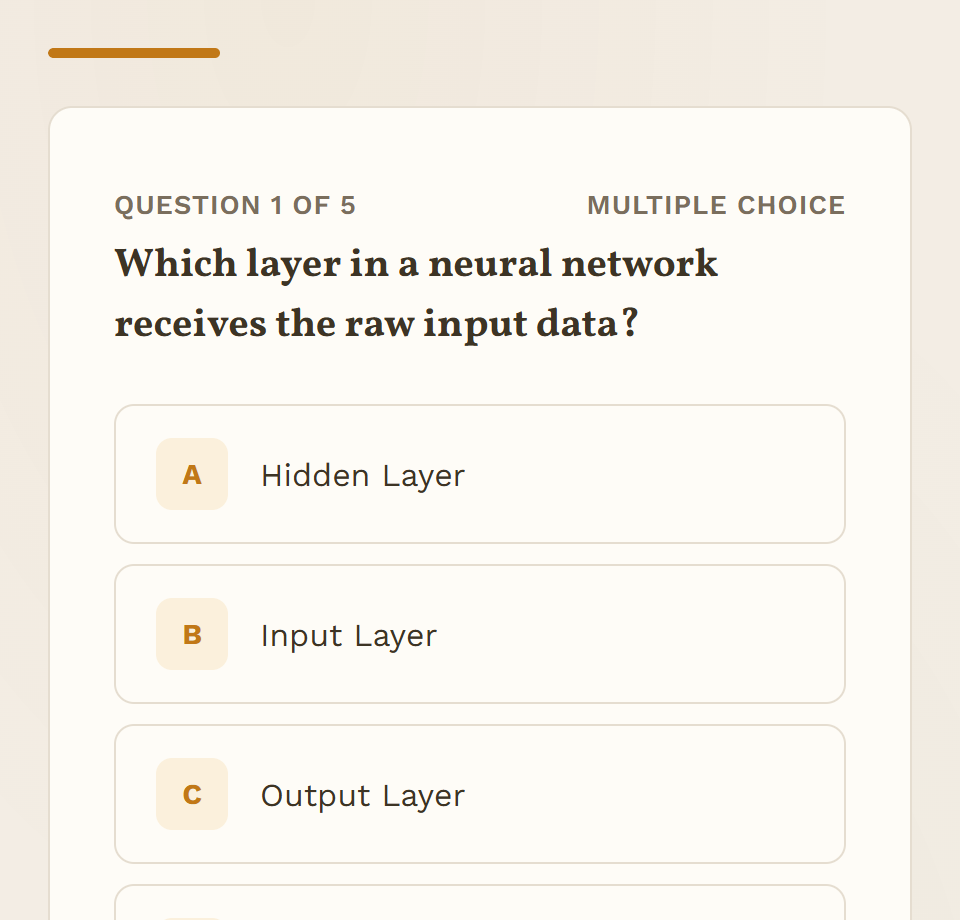
Craft
Creative, process-based learning.
- Type
- Vollkorn for headings, Work Sans for text
- Colour
- Earth tones on an off-white base.
- Best for
- Art, design, writing, project-based learning
- Available
- After any purchase
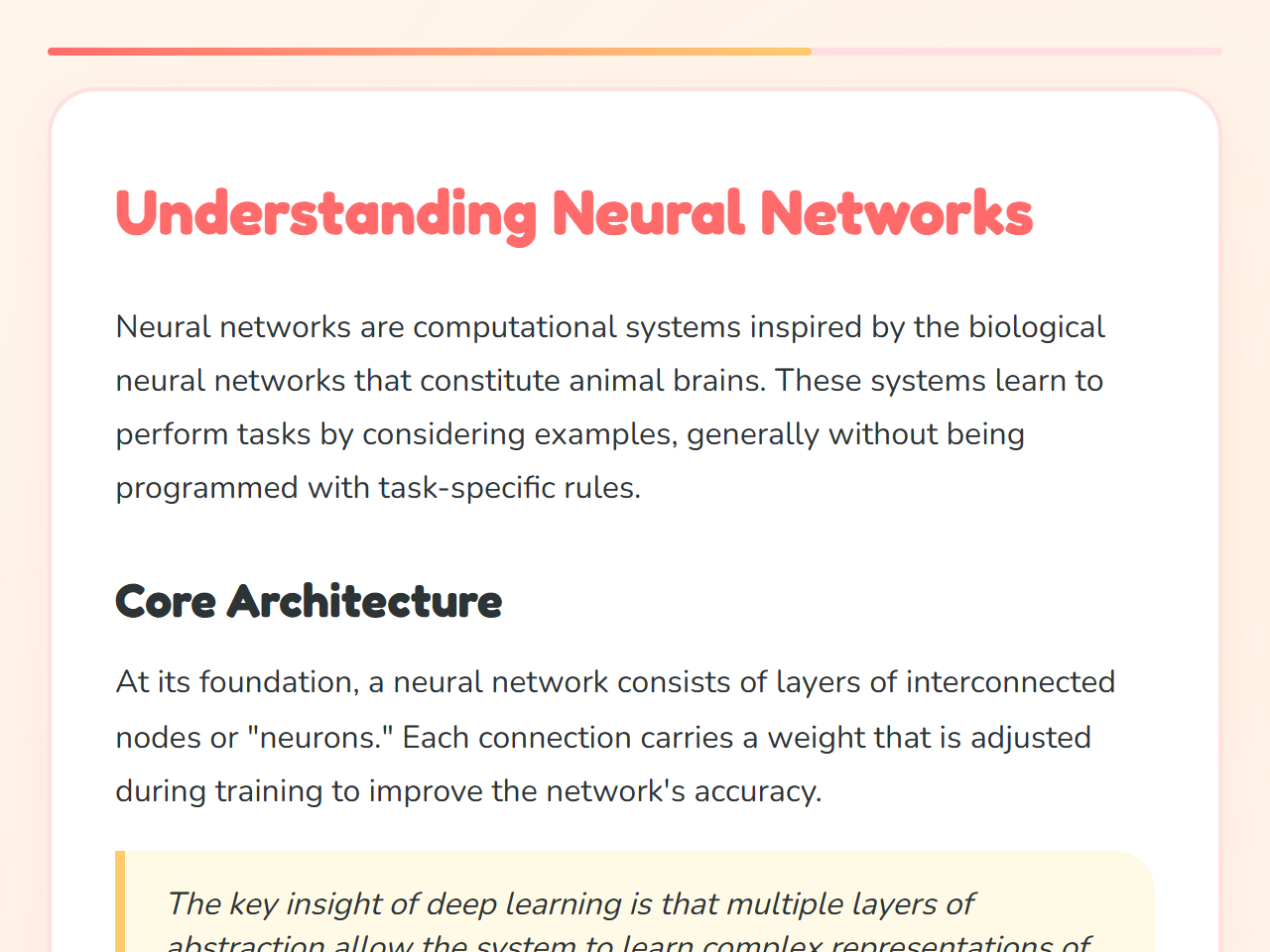
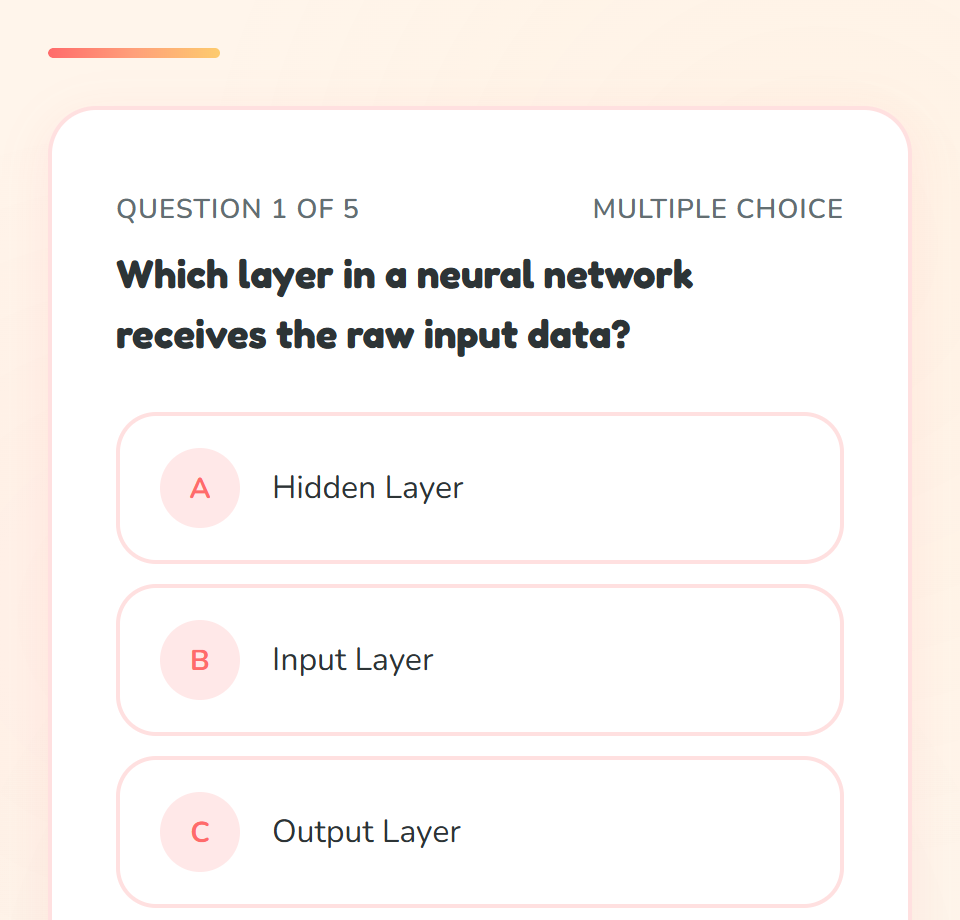
T05 · Friendly, reassuring
Playroom
Approachable learning with a low barrier to start.
- Type
- Fredoka for headings, Nunito for text
- Colour
- Bright primary colours on a warm off-white background.
- Best for
- Primary education, language learning, onboarding
- Available
- After any purchase
T06 · Energetic, systems-oriented
Neon Grid
Energy for technical subjects.
- Type
- Chakra Petch for headings, Exo 2 for text
- Colour
- Dark base with a cyan accent and a visible grid.
- Best for
- STEM, computer science, robotics, AI
- Available
- After any purchase
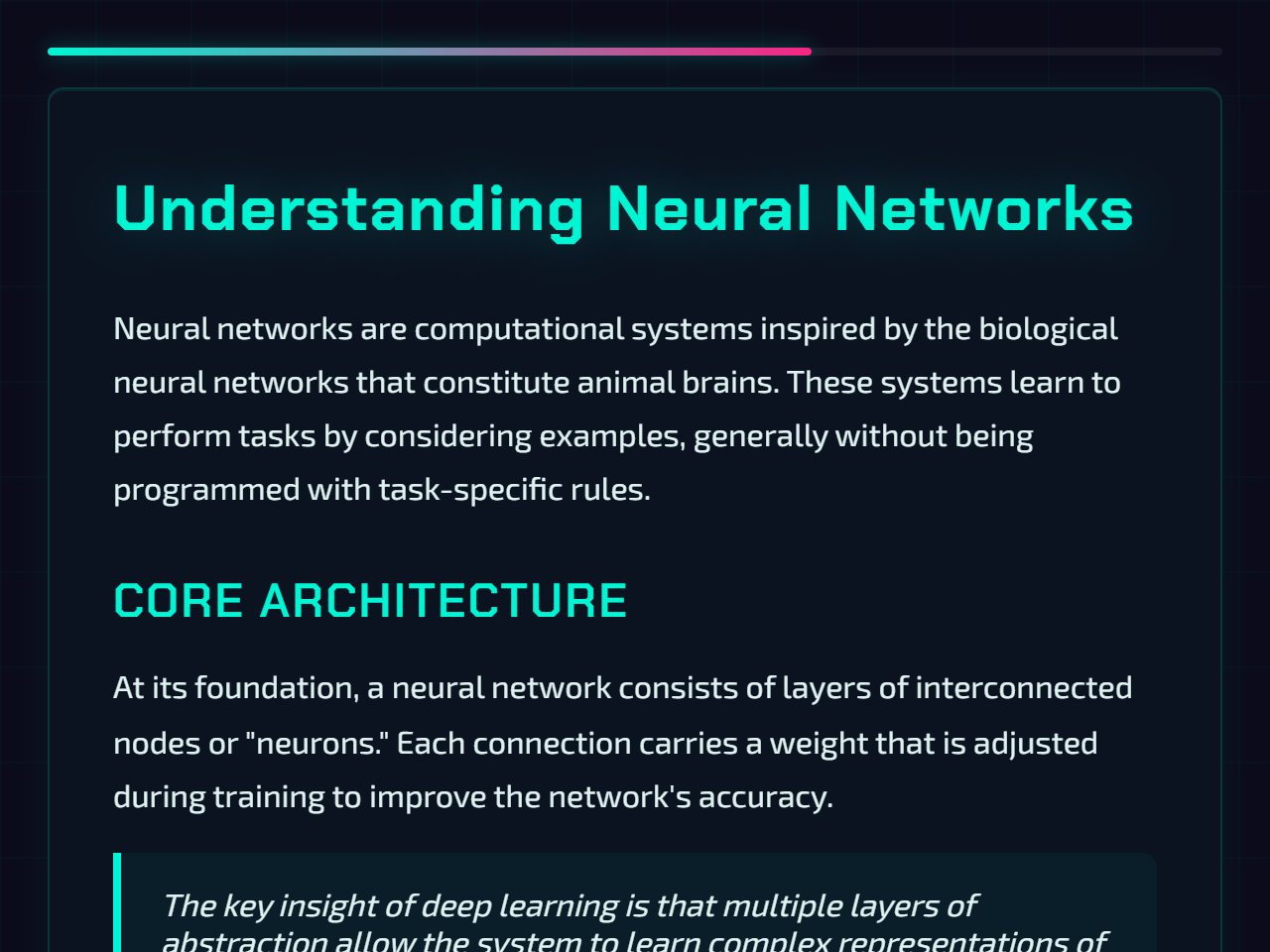
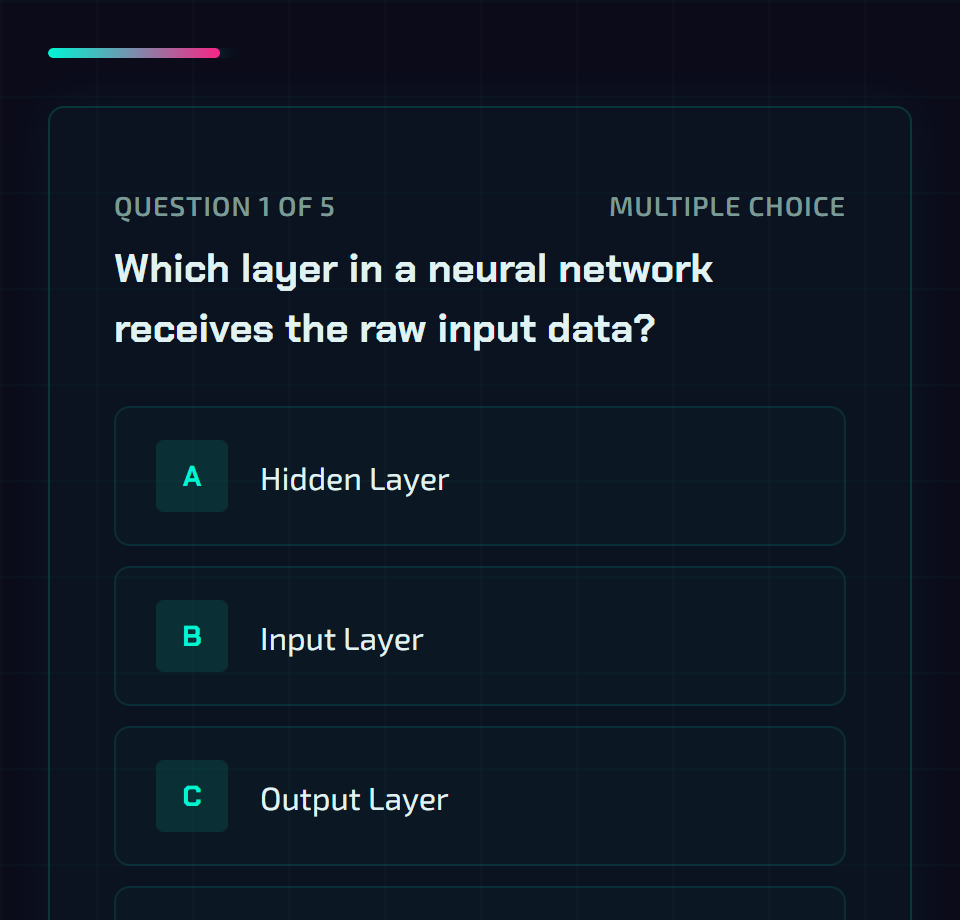
Screenshots are rendered from the lesson player’s own theme preview, with the fonts that ship inside every package.
§ 02Lesson elements
Interactive elements on lesson pages
Interactive · 9 types
| Knowledge check | One to three questions with instant feedback on the answer. Not graded. |
|---|---|
| Sortable list | Put four to six steps, events or priorities in the right order. |
| Matching pairs | Connect terms with definitions, causes with effects, or words with translations. |
| Step-by-step | Walk through a process one step at a time, forwards and back. |
| Categorise | Sort six to eight items into two or three labelled groups. |
| Drag and drop | Place each label in its one correct target zone. |
| Branching scenario | A three-step decision story; each choice gets feedback and the best path scores points. |
| Fill in the blanks | Pick the right word for each gap in a passage from a drop-down list. |
| Select all that apply | Choose every correct item in a grid that also holds distractors. |
- Each exercise gives feedback and allows 2 attempts. After the second wrong attempt it shows the correct answer.
- Lesson exercises are practice. They are not scored and do not count towards the grade; only the module quiz does.
- Drag and drop, categorise and matching work by selecting an item and then its target, so they respond to keyboard and touch as well as a mouse.
Content · 8 types
| Topic overview cards | The first page of a module previews its sub-topics. |
|---|---|
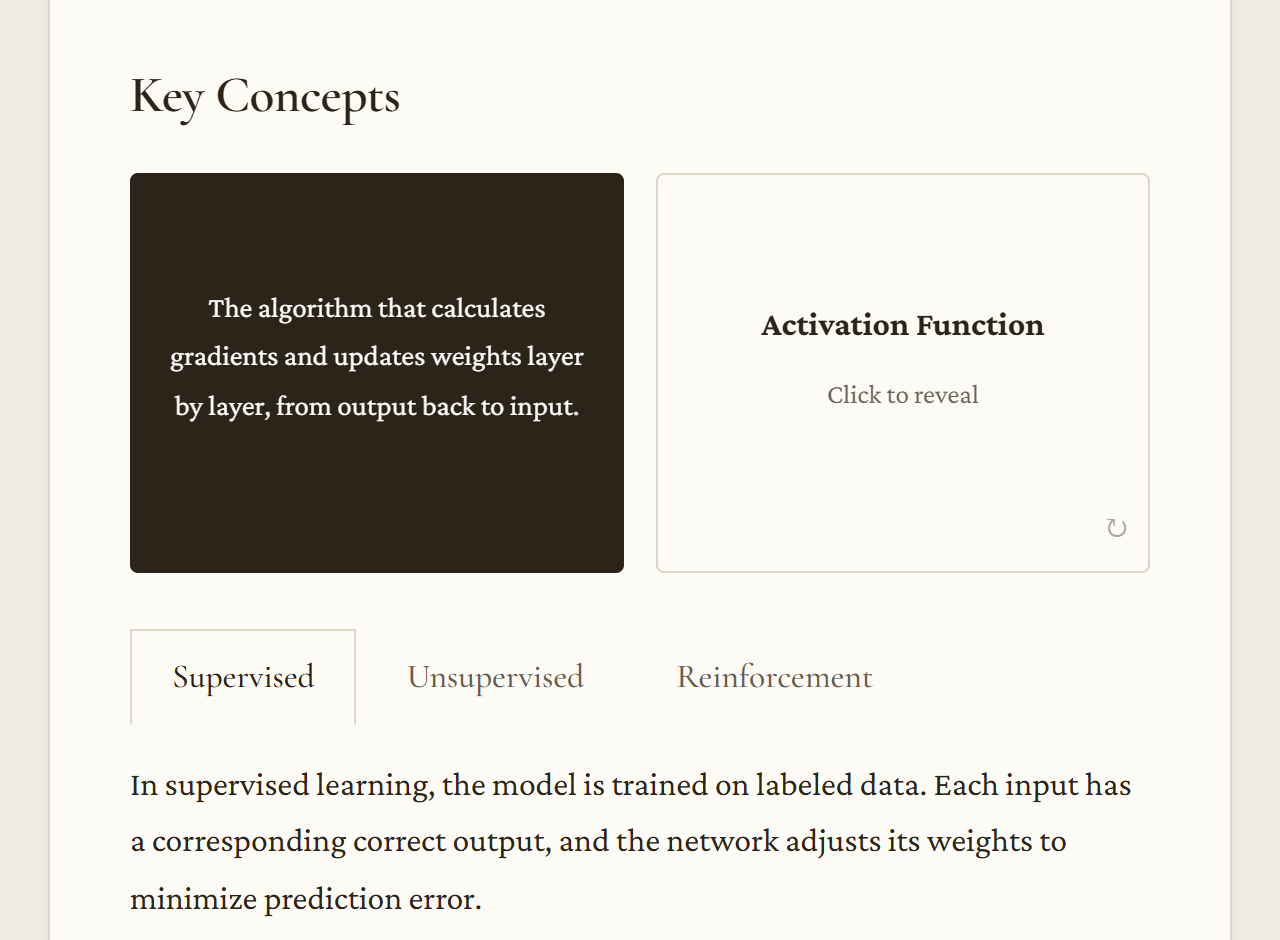
| Concept cards | Key terms with an icon, an example and a definition. |
| Flip cards | Term on the front, explanation on the back. |
| Accordion | Related definitions or steps that open one at a time. |
| Tabs | Sub-topics or comparisons side by side. |
| Carousel | Three to five slides the learner moves through. |
| Callouts | Did you know, Think about it, Key point and Key takeaway boxes. |
| Quote | A quotation related to the topic. Check the wording and attribution in review. |
§ 03Assessment
A graded quiz at the end of every module
| PositionLast screen | After the lesson pages. Learners can go back to the lesson from the quiz start screen. |
|---|---|
| QuestionsTypes | Multiple choice, true or false, and fill in the blanks. Usually four to six questions per module, mixing at least two types. |
| OrderShuffling | Question order and multiple-choice options are shuffled for each attempt. True and false keep their order. |
| ScoringScore and pass mark | Percentage of correct answers. Passed or failed against the pass mark, 60% unless you change it. The pass mark is also written into the package manifest as the mastery score. |
| FeedbackReview | After the last question, learners see their score, each question with their answer and the correct one, and an explanation. |
| RetriesTry again | Learners can retake the quiz. Each attempt reports its own score. |
| LMS dataSCORM 1.2 fields | Score from 0 to 100, lesson status passed or failed, one interaction record per question, session time, and the last page for resuming. |
§ 04Input
Documents as the source of a course
- Up to 5 files per course: PDF, DOCX, PPTX.
- Text is extracted from the files; layout, images and tables are not carried over as such.
- PowerPoint files contribute slide titles, slide text and speaker notes, in slide order.
- Scanned PDFs without a text layer are not supported. Run text recognition on them first.
- About 40,000 characters of text are used in total; longer material is cut.
- On the free trial, documents can total up to 2 MB and 20 pages.
- Upload only documents you have the right to use. Their text is sent to our AI providers to generate the course and is not used to train models.
- Uploaded files are deleted 30 days after upload.
§ 05Languages
Course language
You choose the language of each course. Titles, lesson text, element labels, quiz questions and explanations are written in that language. Quality depends on the language: widely used languages give the most fluent text, and every language needs a native-speaker review.
The player’s own controls and messages (Next, Try again, Pass mark and similar) are available in English and Romanian. Courses in other languages show them in English.
§ 06Output
Exports
| Trial and purchasesSCORM 1.2, one module | A zip with |
|---|---|
| Trial and purchasesSCORM 1.2, whole course | One zip holding a SCORM 1.2 zip per module, numbered in course order. |
| After any purchaseFull course backup (.mbz) | The whole course in one backup file (.mbz), for learning platforms that restore this backup format: one section per module with its learning objectives and its SCORM package. It contains no user data. If your platform does not restore .mbz files, use the SCORM packages. |
Exported files are kept for 30 days after they are created; you can export again at any time. On the free trial, exports and previews carry the watermark “Made with Course AI Builder”. There is no SCORM 2004, xAPI, cmi5 or AICC export. If your LMS does not import SCORM 1.2, the packages will not work in it.
§ 07Branding and review
Brand kit and preview links
Brand kit
After any purchase
- Your organisation name and logo at the top of every lesson, and your brand colour on buttons, links and highlights.
- Logos in PNG or JPEG up to 2 MB. Location and other hidden data in the image are removed.
- The form warns you when a colour is hard to read on white or as a button label.
- Applies to courses you build or export after saving it; earlier downloads keep their look.
Preview links
Free trial and purchases
- Send a link to colleagues or subject experts so they can take the lessons and try the quizzes without an account.
- Reviewers cannot edit or download the course, and their quiz answers are not saved.
- A link works for 30 days and can be turned off at any time; each course shows its links and their view counts.
- Inside the application you can also preview any course as a learner at phone, tablet or full width.
§ 08Package
Inside a package
- Self-contained: fonts, icons and the module illustration are inside the zip, and the package makes no network requests when a learner opens it. Its content security policy blocks any other request.
- Page navigation, a reading progress bar, and an offer to resume from the last page visited.
- A module can have one AI-generated illustration, placed on its first page. Illustrations never show people or faces.
- Licence texts of the bundled fonts (SIL Open Font License) and icons (CC BY-SA 4.0) are included in the package.
- Marked as AI-generated in the package metadata: a statement in the description, the keyword
ai-generatedand the digital source typetrainedAlgorithmicMedia. - A “Credits and notices” panel at the foot of the lesson tells learners the content was generated with AI and may contain errors.
- Generated HTML is cleaned before packaging: scripts, frames, forms and links to external sites are removed.
- Generated lessons are not checked against accessibility standards. Test them with your learners and your LMS.
§ 09Scope
Not included
- Hosting courses for learners, learner accounts or enrolment
- SCORM 2004, xAPI, cmi5 or AICC packages
- Producing video, narration, voice-over or presenter avatars
- Team workspaces with several users
- Images of people, faces or real persons
- Grading or assessment of learners by AI
- Writing courses for you as a service
Try the whole flow on one course
The free trial covers one course of up to 3 modules, from outline to SCORM export. No payment details are needed to sign up. After that, pay per course; there is no subscription.